

Bedrolls are an important gameplay feature in 7 Days to Die, allowing players to establish a designated respawn location and helping them return to a familiar area after death. Depending on your server's configuration, you can adjust bedroll-related settings to customize how these respawn mechanics work, manage their availability, and tailor the gameplay experience to suit your community's preferences. Whether you're running a cooperative survival server with friends or managing a dedicated server for a larger group of players, configuring these options can help you create a more challenging or forgiving survival experience. In this guide, we'll walk you through how to configure bedroll settings on your 7 Days to Die server by accessing and editing the server configuration file. You'll learn how to adjust the Bedroll Dead Zone Size, which controls the area around a bedroll where zombies cannot spawn, and the Bedroll Expiry Time, which determines how long a bedroll remains active after its owner was last online. These settings can help you fine-tune the balance between player safety and survival difficulty. Before making any changes, we recommend stopping your server and creating a backup of your existing configuration file. This helps prevent configuration conflicts and allows you to restore your previous settings if needed. Once you've updated the desired values and saved your changes, you can restart the server and enjoy a bedroll system tailored to your preferred gameplay experience.
Configuring Bedroll Settings (Console)
1. Log in to your Game Control Panel.
2. Navigate to Web Console.
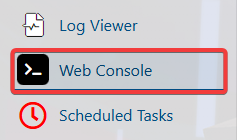
3. Enter the desired command in the designated field.
| Command | Description |
gg BedrollDeadZoneSize |
Displays the current value of the bedroll dead zone. |
gg BedrollExpiryTime |
Gets the current value of the bedroll expiry time. |
sg BedrollDeadZoneSize |
Sets the radius of the bedroll where zombies will not spawn. |
sg BedrollExpiryTime |
Changes the timer value, in real-world hours, for how long the bedroll will remain active for offline players. |
Configuring Bedroll Settings (Config)
1. Log in to your Game Control Panel.
2. Before making any modifications, stop the server from running by clicking the Stop button.

3. Navigate to Configuration Files.
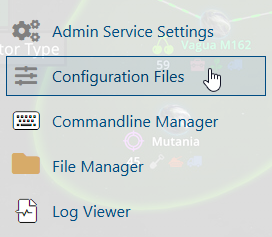
4. In the Configuration Files section, locate the serverconfigmain.xml file and click Text Editor to open and edit the file.

5. In the <!-- Misc --> section, locate the BedrollDeadZoneSize and BedrollExpiryTime settings.
Modify their values according to your preferred server configuration.

| Property | Description |
| BedrollDeadZoneSize | The radius of the bedroll where zombies will not spawn. |
| BedrollExpiryTime | The timer for how long the bedroll will remain active for offline players, measured in real-world hours. The timer resets whenever the player joins the server. |
6. After editing, click the Save button to apply the changes.