

This guide will show you how to kick and ban players on your RimWorld Together Server
Click here to order your Rimworld Together server with Citadel Servers today!
Managing a RimWorld Together server means keeping the multiplayer experience fair, stable, and enjoyable for everyone involved. Whether you're hosting a small co‑op colony or running a larger community server, there may be times when you need to remove disruptive players or enforce rules to maintain order. Knowing how to properly kick or ban players ensures you can respond quickly to issues, protect your community, and keep the game running smoothly. This section walks you through the essential tools and commands for moderating your server, from removing a player temporarily to issuing a permanent ban. With these controls at your fingertips, you’ll be equipped to handle conflicts, prevent griefing, and maintain a positive environment for all players.
Managing Player Kicks and Bans in RimWorld Together Server
1. Log in to your Game Control Panel and navigate to your service.
2. Before making any modifications, stop the server from running by clicking the Stop button.

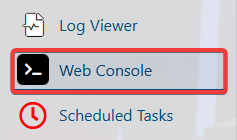
3. Go to the Web-Console Tab.
4. Enter the command below to kick the selected player:
kick [Ingame Username]
5. Enter the following command to permanently ban a player:
ban [Ingame Username]
6. Enter the command below to remove a player from the ban list.
pardon [Ingame Username]
7. Enter the command below to view all banned players.
banlist