

This guide will show you how to install DXRP on your S&box server and configure the correct game mode through your server panel. By following the steps below, your server will be properly set up and ready for players to join.
1. Log in to your Game Control Panel.
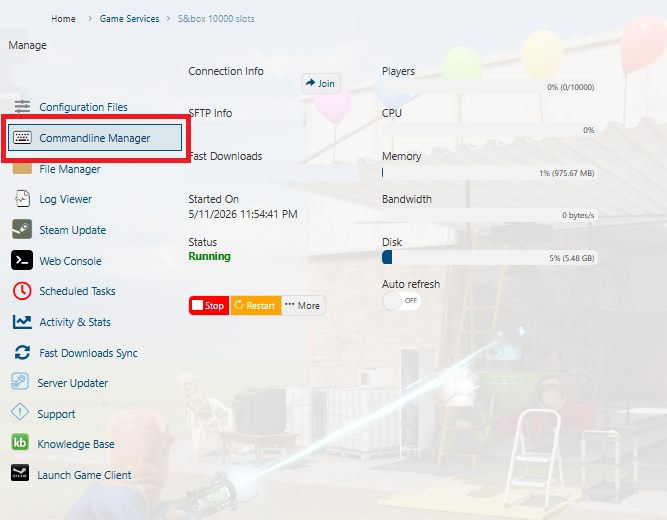
2. Go to Commandline Manager.
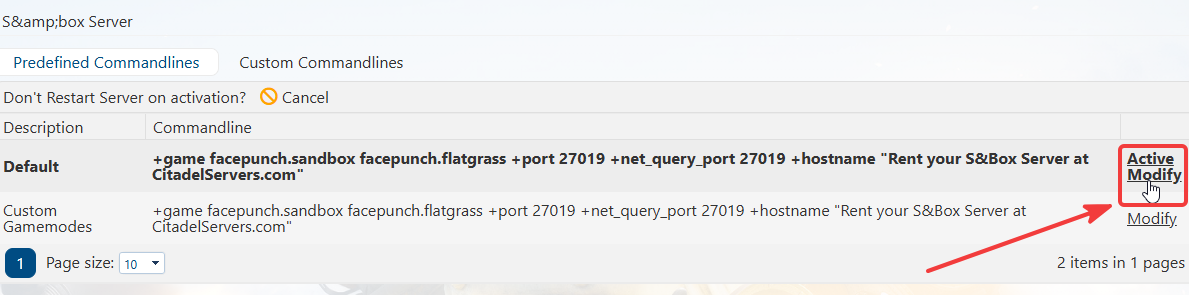
3. Navigate the default commandline and click on Active Modify.
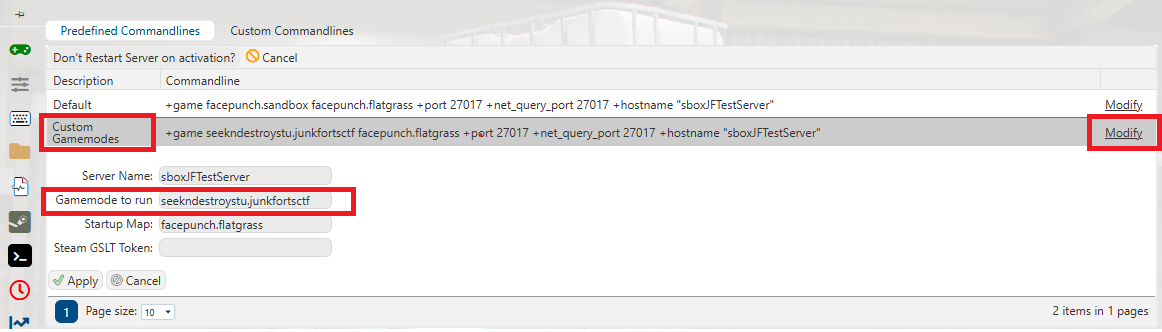
4. From here, you can change your server’s game mode by selecting the game mode you want to use.

Did the above information not work for you?
Please click here to contact our support via a ticket.
Please click here to contact our support via a ticket.