

This guide will show you how to set up Fast Downloads for your Unreal Tournament 2004 server.
Click here to order your Unreal Tournament 2004 server with Citadel Servers today!
1. Log in to your Game Control Panel.
2. Upload and install .UZ2 files on the server.
Confirm the files are properly set up and that the server is operational.
Once confirmed, click the Fast Download Sync command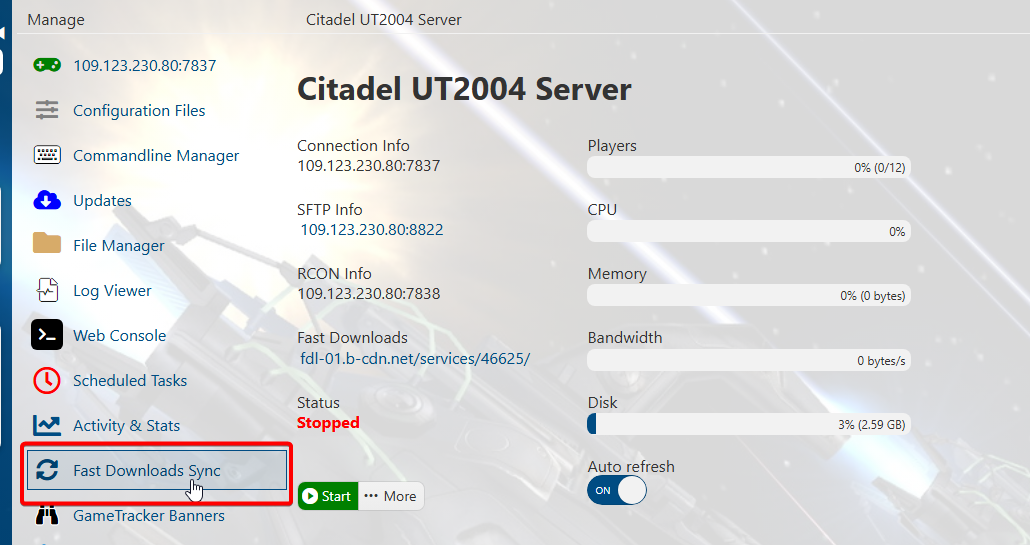
This will start a script to look for custom .UZ2 files in the Server Files.
The site used for this is: https://uz2.pwc-networks.com/
A console will appear. Wait for it to confirm it has finished syncing files.
To set up your FastDL to use a custom site, follow these steps.
1. We will use the FastDownloads site on the main page as an example.
Copy the link to it or from your preferred site.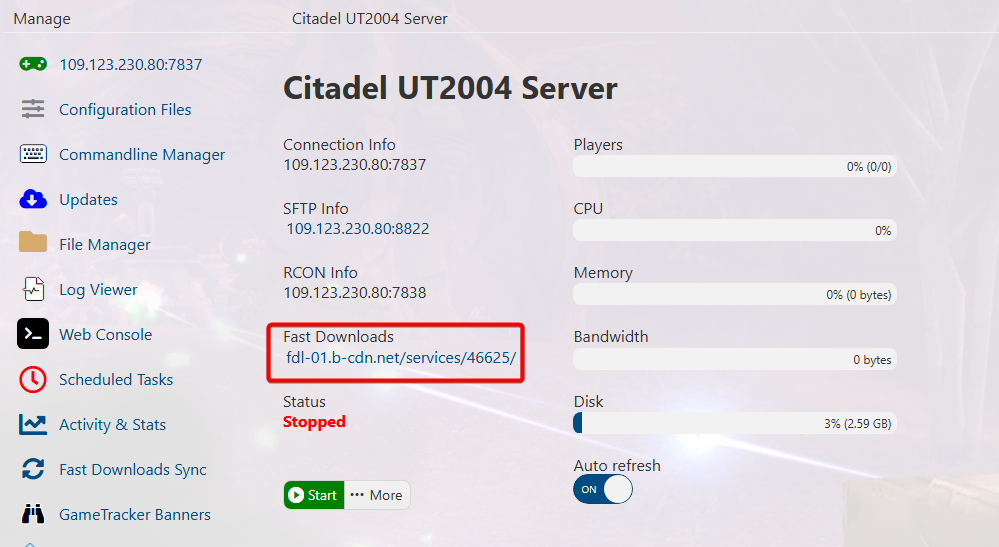
2. Open the Configuration Files tab and click the "Text Editor" button of the main config.
Find the "RedirectToURL" command, and replace the value with your preferred site. Click Save once done.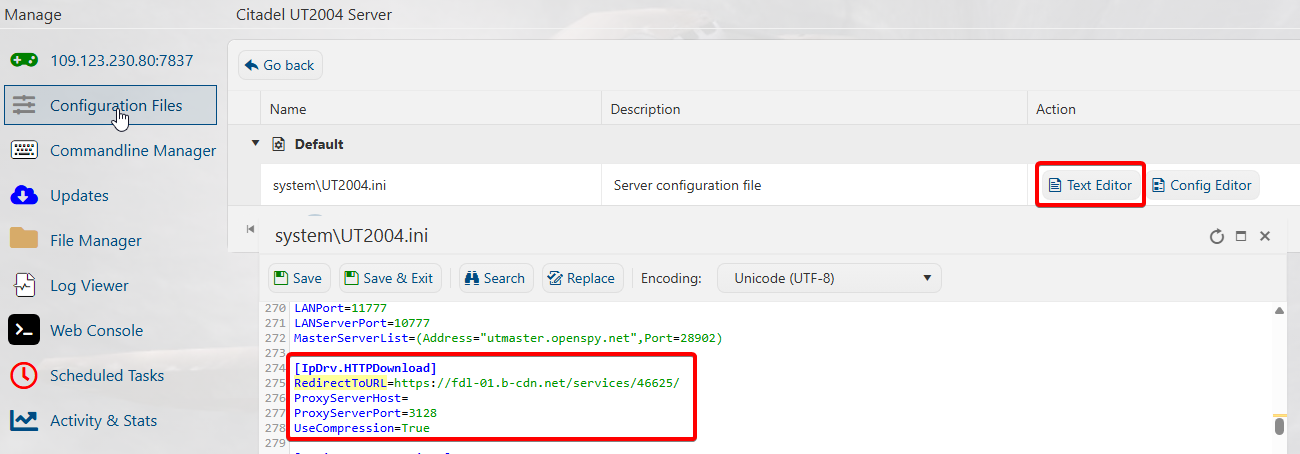
3. Press the Fast Download Sync command.
Wait for the console to confirm it finished syncing.
Did the above information not work for you?
Please click here to contact our support via a ticket.