

This guide will show you how to connect directly to your Unreal Tournament 2004 server.
Click here to order your Unreal Tournament 2004 server with Citadel Servers today!
1. Log in to your Game Control Panel.
2. Start your server and copy the IP and Port from Connection Info in the Control Panel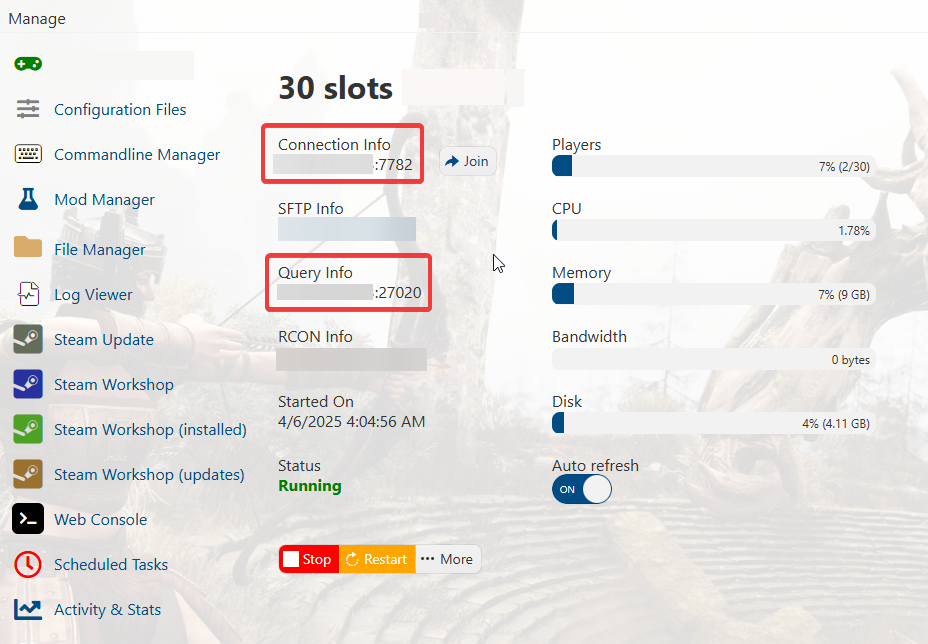
3. Open the game and press the " ` " key to open the console. It's the key to the left of the "1" key.
Type "open" then add a space. Paste the IP and Port you got from the previous step. Press enter to join.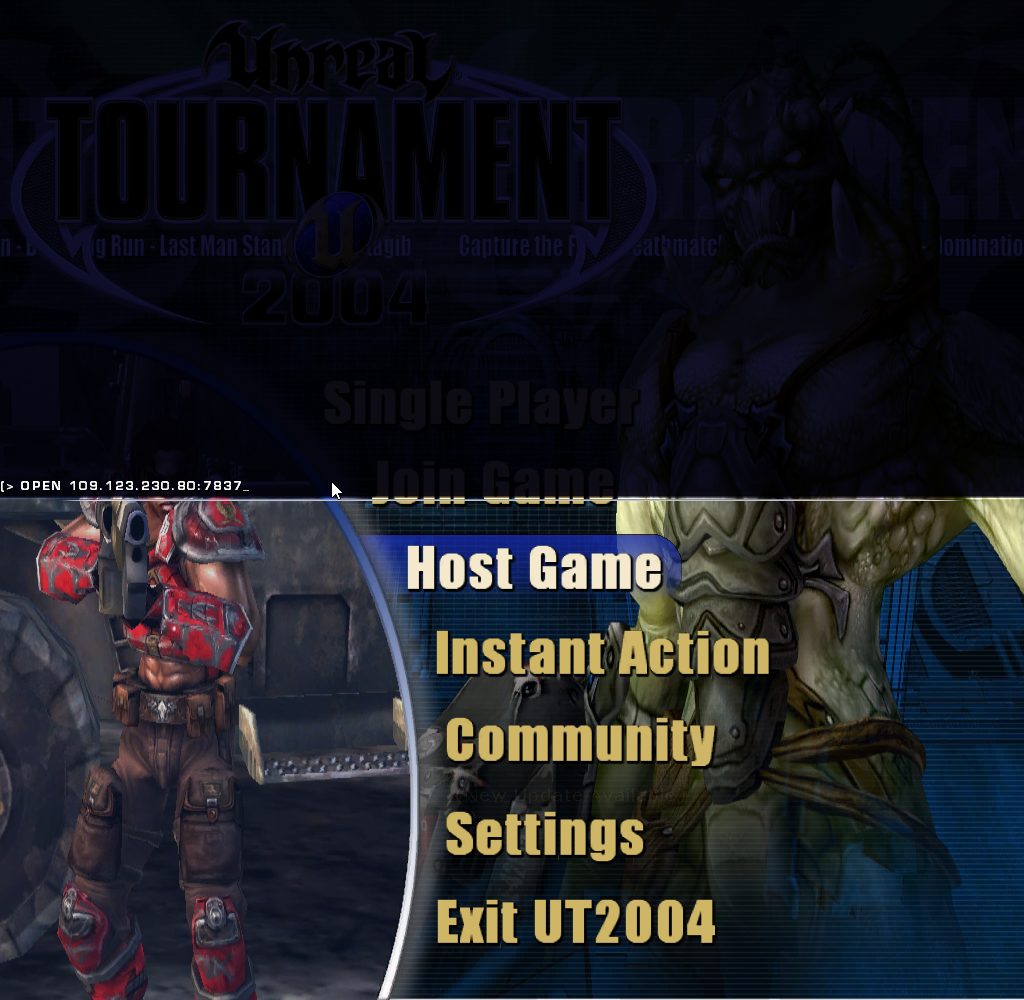
4. You should now be able to join your server.
Did the above information not work for you?
Please click here to contact our support via a ticket.