

This guide will show you how to configure Loot Rarity Settings on your Project Zomboid Server
Click here to order your Project Zomboid server with Citadel today!
Loot availability plays an important role in shaping the survival experience on your Project Zomboid server. From finding essential supplies such as food, medicine, and tools to scavenging for weapons, ammunition, and building materials, the rarity of items directly affects how players explore the world, manage their resources, and prepare for long-term survival. By configuring loot rarity settings, you can customize the difficulty of your server and create a gameplay experience that suits your community's preferences. Project Zomboid provides sandbox settings that allow server owners to control the availability of different item categories throughout the game world. Depending on your chosen configuration, you can make supplies more abundant for a relaxed survival experience or reduce their availability to create a more challenging environment where every item matters. Adjusting these settings can also help balance multiplayer gameplay, encourage players to explore different locations, and make resource management a more meaningful part of survival. In this guide, we'll walk you through how to configure loot rarity settings on your Project Zomboid server, including how to adjust the availability of different item categories to match your desired level of difficulty. You'll learn how to customize the distribution of essential survival supplies, weapons, medical equipment, ammunition, and other useful resources to create a more balanced and engaging multiplayer experience. Whether you want to make valuable supplies harder to find for a hardcore survival challenge or increase item availability for a more casual playthrough, understanding these settings will help you fine-tune your server's world. Before making any changes, it's recommended to back up your server configuration files so you can restore your previous settings if needed.
Adjusting Loot Spawn Rates
1. Log in to your Game Control Panel.
2. Before making any modifications, stop the server from running by clicking the Stop button.

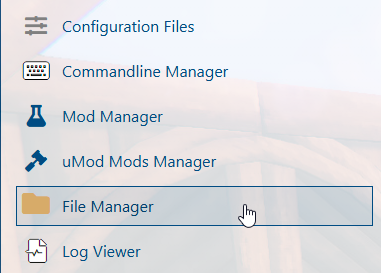
3. Navigate to the File Manager section.
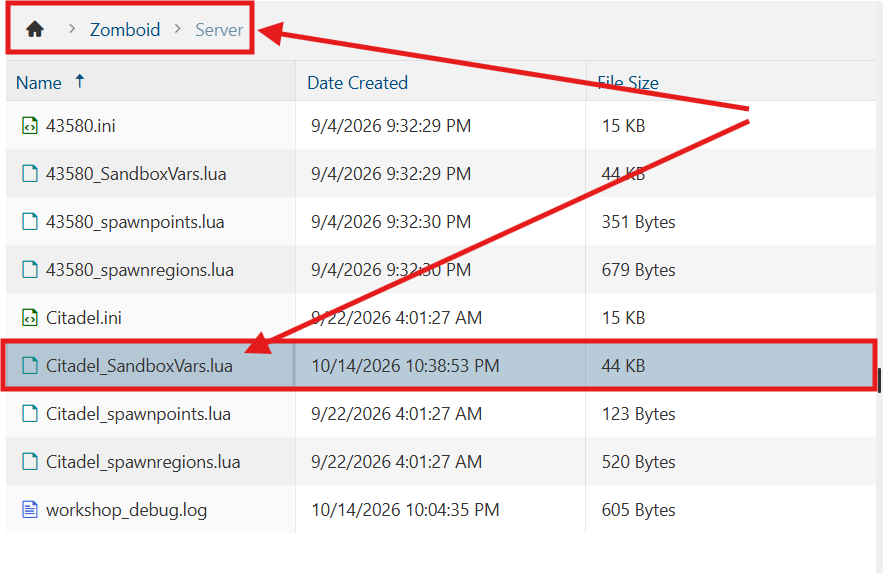
4. Navigate to the /Zomboid/Server directory and locate the [SaveName]_SandboxVars.lua file, replacing [SaveName] with the name of your server's save.
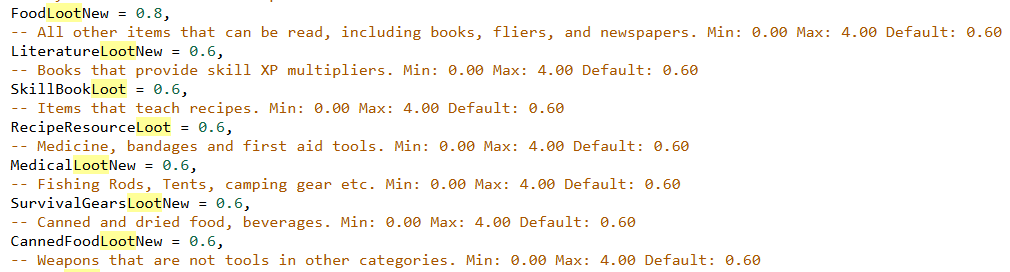
5. In the file, locate the Loot Settings section and adjust each value according to your preferences. These values represent baseline multipliers that determine the relative availability of items in each category.
For example, setting a value to 0.6 makes items in that category approximately 40% less likely to appear, where applicable.
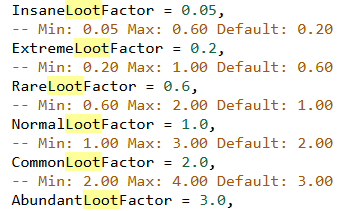
The Loot Factor settings are part of a legacy system and are only applicable to Build 41 and earlier.
(Note: Loot rarity in Project Zomboid is governed by a multi-layered system. Each container may undergo several loot-generation checks to determine whether items spawn, which item categories are eligible, and which specific items can appear. As a result, adjusting loot rarity settings may affect item availability differently depending on the container and its loot-generation rules.)
6. After editing, click Save to apply the changes.

You can now start playing on your server.
Did the above information not work for you?
Please click here to contact our support via a ticket.