

This guide will show you how to change the Configurations of your Unreal Tournament III server.
Click here to order your Unreal Tournament III server with Citadel Servers today!
1. Log in to your Game Control Panel.
2. Stop your server and open the Configuration Files tab.
Select the "Text Editor" option of the Game.ini File.
You can also edit the Engine.ini if needed.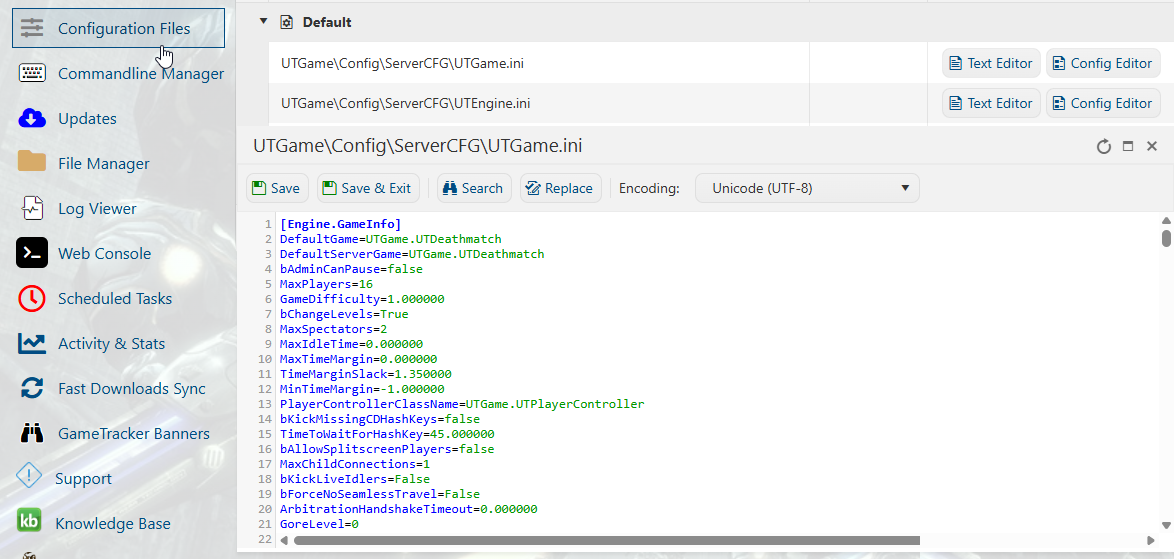
3. Before editing, make sure that you are following the proper format of the config file.
Change the value of the settings you want to edit, and then click "Save".
You can now start your server with the new configurations.
Did the above information not work for you?
Please click here to contact our support via a ticket.