

This guide will show you how to modify PvP settings on your HumanitZ server.
Click here to order your Humanitz server with Citadel Servers today!
1. Log in to your Citadel Servers Game Panel and stop your server.
2. Navigate to the Configuration Files section in your game panel, then click the config editor of your game server settings.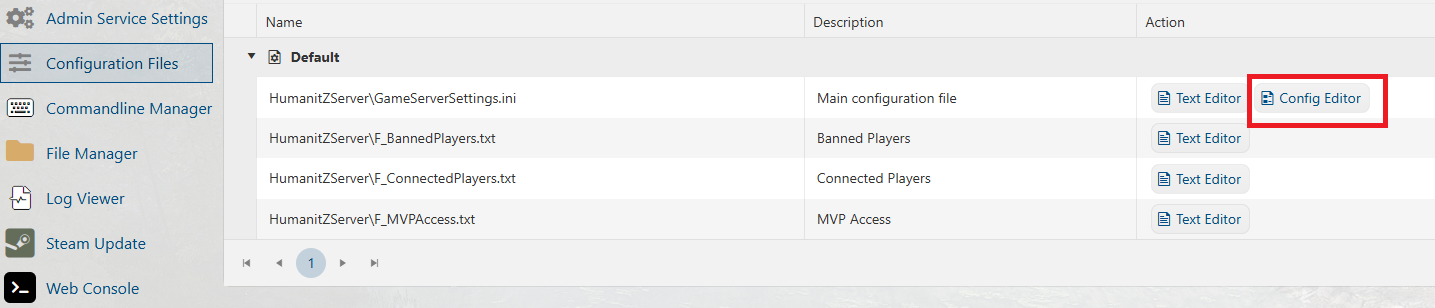
3. Find the Player vs Player and tick the check box to enable PVP.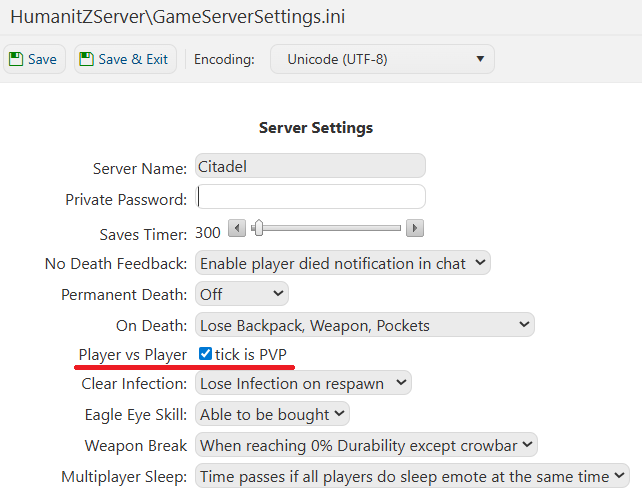
4. After making the changes, save the configuration file and then test your server.
Did the above information not work for you?
Please click here to contact our support via a ticket.