

The following guide will show you how to obtain an Auth Token for your COD4x Server
Not a client yet? Order a COD4 Server today with Citadel Servers
Setting up a COD4x server isn’t just about installing the binaries and configuring your game files. It also requires authenticating your server with the COD4x master system. This is where the auth token comes in. An auth token is a unique identifier that links your server to your COD4x account, enabling features like server listing, RCon security, and integration with the master server network. Before you can fully launch and register your server, you’ll need to retrieve this token from your COD4x account dashboard and apply it to your server configuration. The process is straightforward, but it’s essential to understand where the token comes from, how it’s used, and why it’s required for proper server operation. In the sections that follow, you’ll learn how to access your COD4x account, generate your server token, and correctly apply it to your configuration so your server can authenticate successfully.
(NOTE: This token system is for CoD4x versions 17.6 and newer.)
Getting an Auth Token for your COD4x Server
1. Visit the CoD4x Server Token website to generate a new token.
This is a token generated by signing into CoD4x using your Steam account to allow your server to be listed on their master server list
2. After obtaining your token, proceed to your Game Control Panel.
3. Make sure your server is stopped before making modifications to its settings.

4. Navigate to your Commandline Manager.
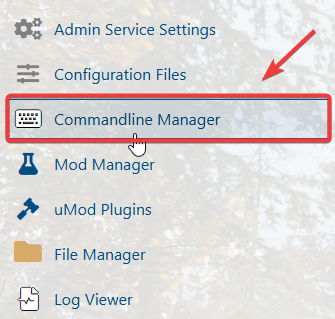
5. In the Commandline Manager, click the Modify button on the right side of the command line, then paste your token into the Authorisation Token field.

After entering your Authorisation Token, click Apply to save the changes to your server.
6. Restart your CoD4x dedicated server to ensure the token takes effect.
Did the above information not work for you?
Please click here to contact our support via a ticket.