
This guide walks you through the steps required to connect your game client to a private server using SPT and FIKA.
After completing the local installation, follow the instructions below to configure the server address and create your player profile.
Click here to order your EFT: SPT Fika Server with Citadel Servers today!
How to Connect to your Escape from Tarkov: SPT Fika Server
Step 1: Launch the Game
Open SPT.Launcher.exe to start the game.
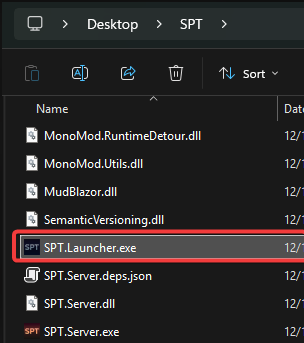
The game will attempt to connect automatically.
Note: An error will appear at this stage. This is normal because the server IP and port have not been set yet.
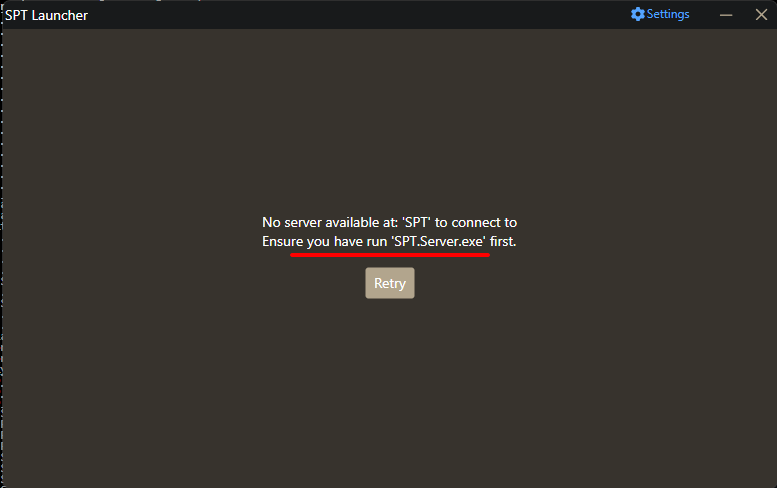
Step 2: Open Settings
When the error appears as you can see in the image , click Settings.

Step 3: Enable Developer Mode
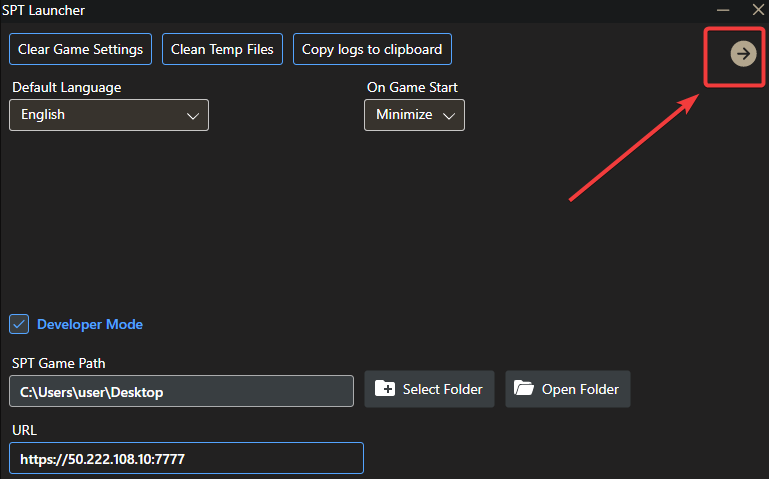
In the Settings menu, click Developer Mode.
In the URL field, enter your server address in the following format:
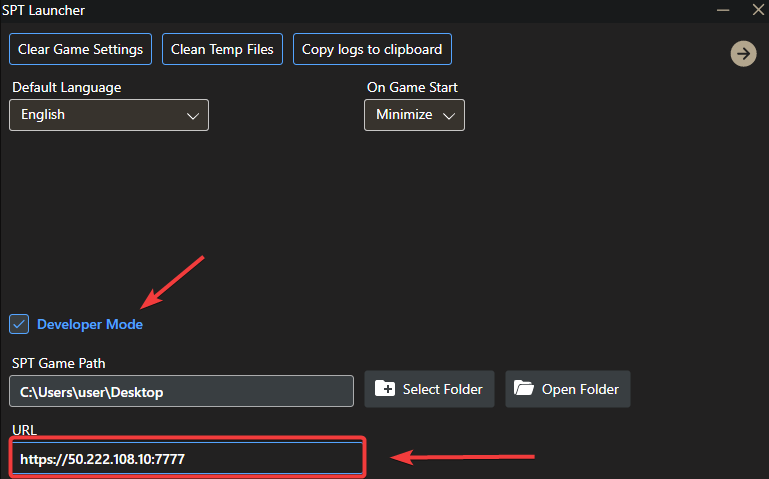
Step 4: Save and Connect
Click the arrow icon in the top-right corner.
This will save the settings and attempt to connect to your private server.
Step 5: Create Your Profile
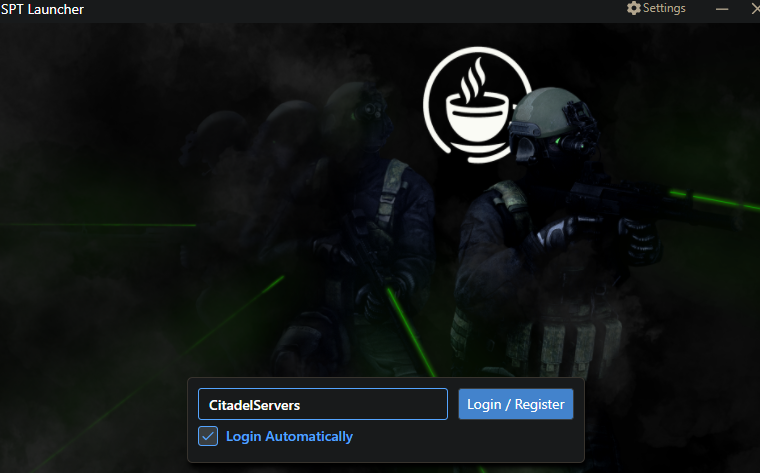
Once connected, enter a new username.
A new player profile will be created on your private server automatically.
Step 6: Select Your Profile Loadout
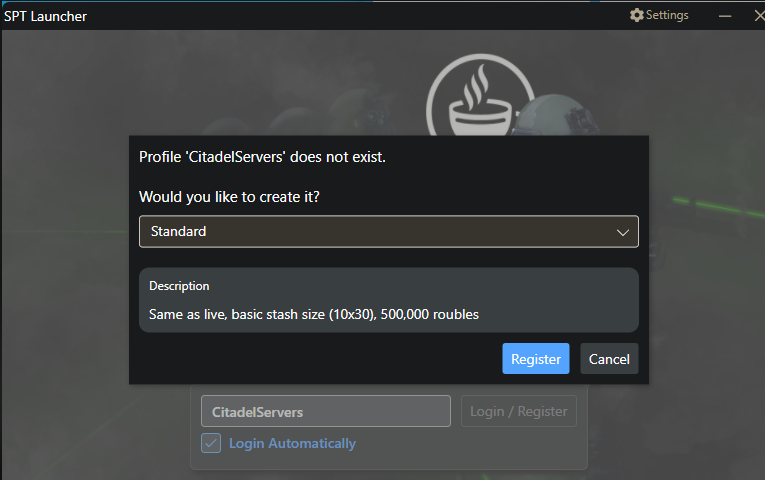
After creating your profile, you will be prompted to select a profile loadout.
As shown in the description, the loadout defines what your character starts with, including Starting cash, Initial stash size and starting equipment and items
Choose the loadout that best suits your preferred gameplay experience.
Step 7: Start the Game
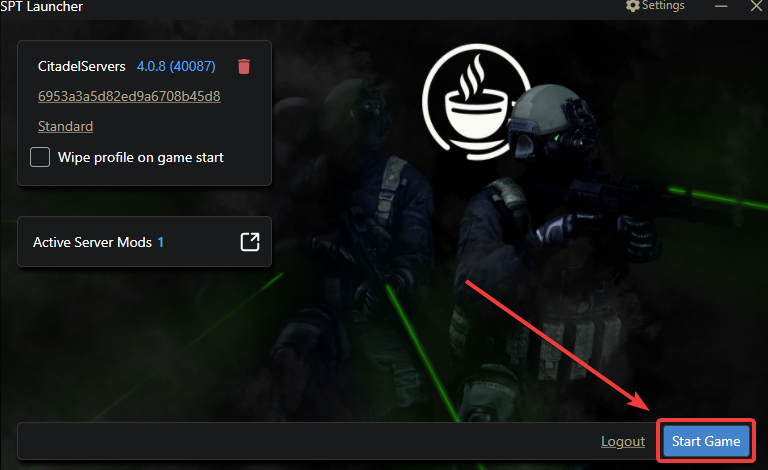
Once the profile has been created and the loadout selected, click Start Game.
The game will load, and you can begin playing on your private server.
Did the above information not work for you?
Please click here to contact our support via a ticket.